How mobile carriers do video throttling
Spoiler alert: It's nothing special, but kinda interesting too.

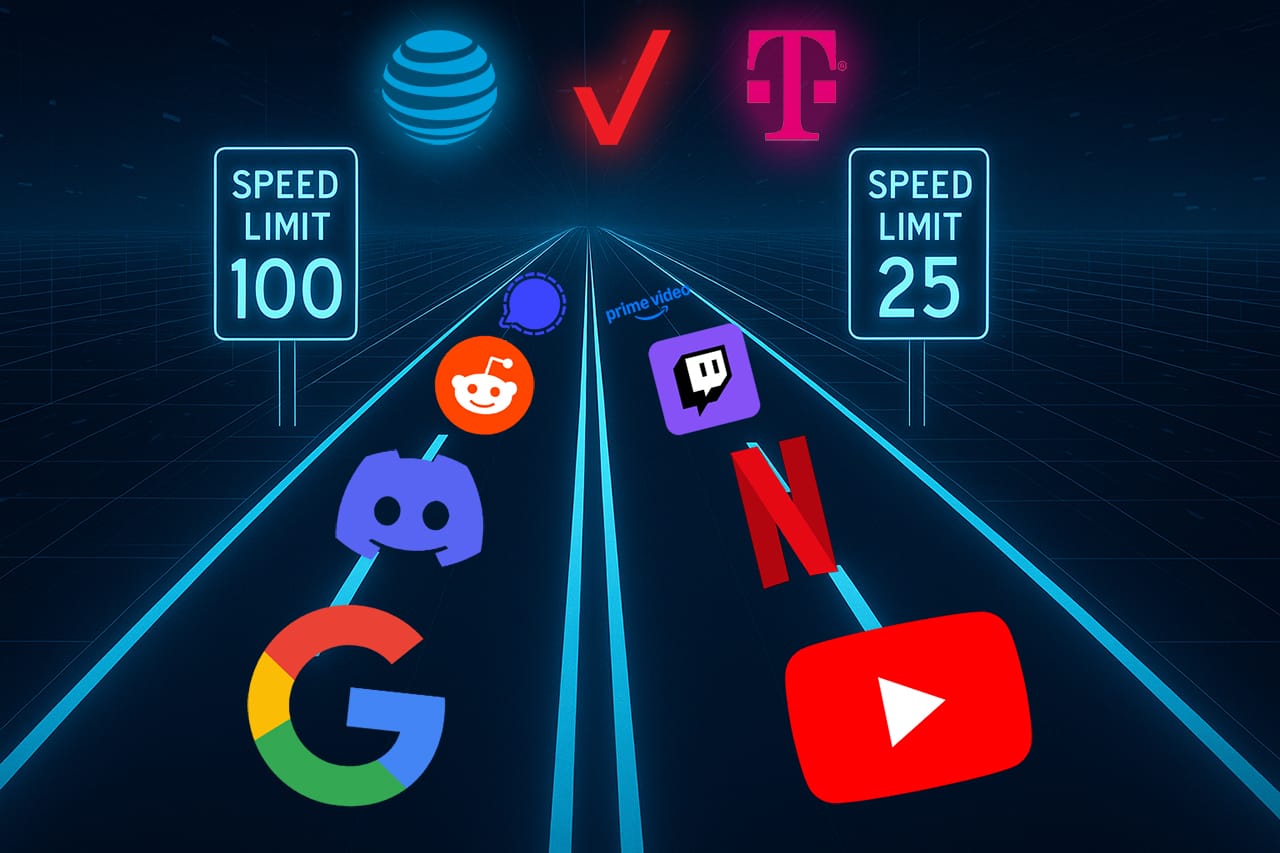
Ever wondered why the YouTube video that looks crisp on Wi-Fi suddenly becomes a pixelated mess when you switch to cellular? You're not alone. It could be that you're in a bad coverage area, or your cell phone plan does not support HD video, so you are being throttled.
In the United States, mobile carriers sell a variety of plans. You have your top of the line postpaid plans with a ton of priority data, to your prepaid plans from carriers & MVNO's that have deprioritized data at a cheap price. A factor in one of these plans is video streaming. Depending on your plan, the quality you can stream at can vary greatly.
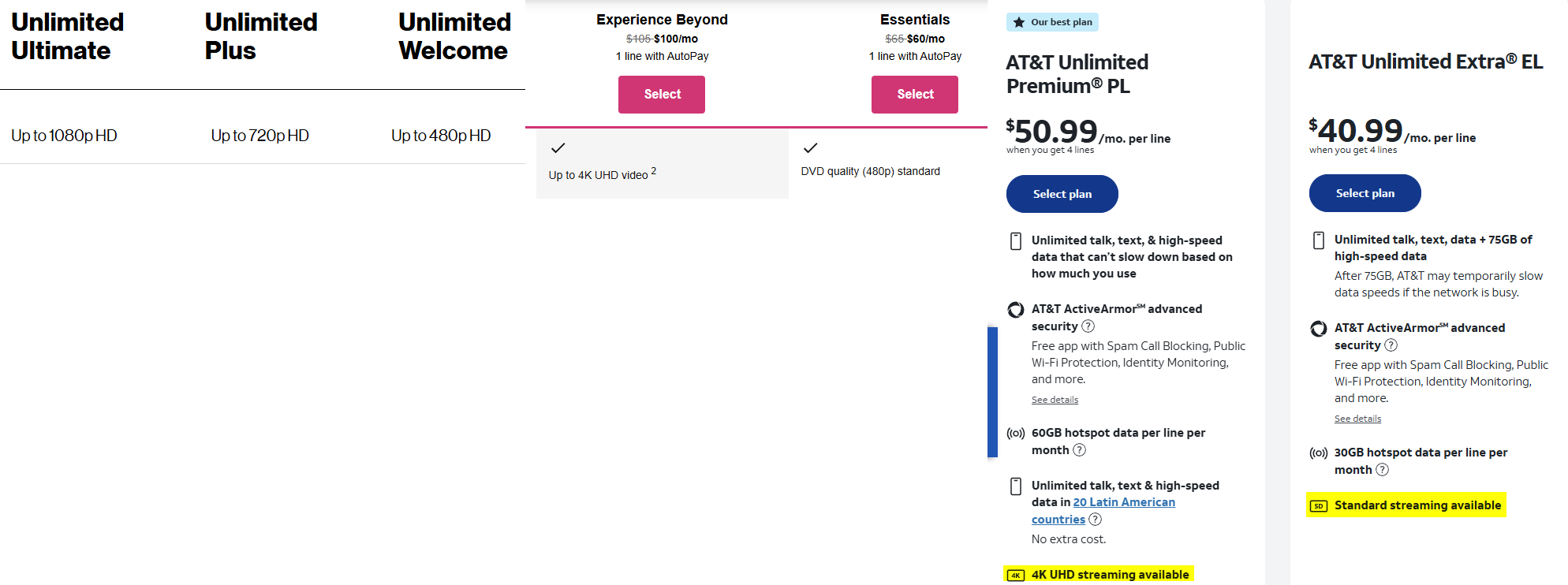
But this begs the question; how do these carriers know when you're streaming video when your traffic is encrypted with HTTPS? Is it some sophisticated system that runs on-device, some spooky traffic analysis system, or are the content providers doing it for them?
The answer: It's not super complicated. In this post, I'll explain how carriers are using deep packet inspection (DPI) to identify when you are streaming video, and how to bypass this restriction on your devices.
Note: The content in this blog post is most relevant to T-Mobile in the United States. I have also tested Verizon, which seems to be similar.
What is deep packet inspection?
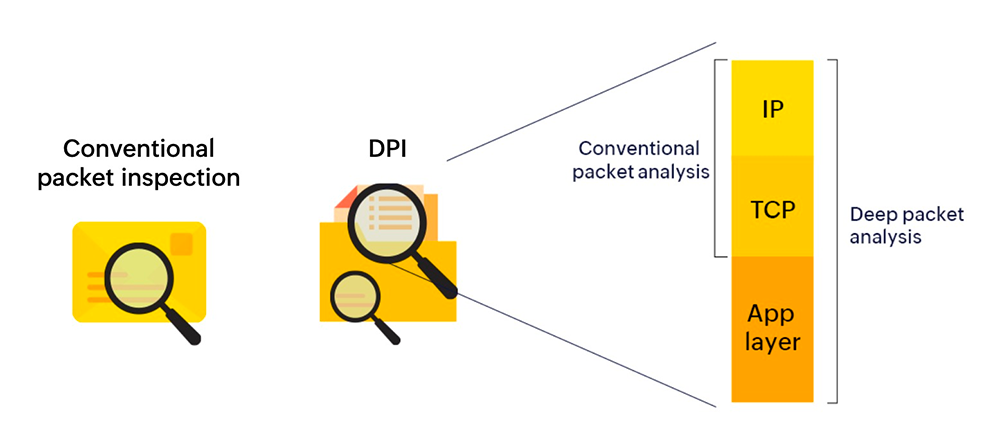
Think of deep packet inspection (DPI) as a highly vigilant traffic officer. Not one who merely directs vehicles based on their license plates or destinations, but one who goes the extra mile to open each trunk, examine the cargo, and determine whether a vehicle should be allowed through but on a slower lane, prioritized, or blocked from joining the road altogether. In internet terms, rather than simply routing data packets based on basic metadata like source and destination IP addresses, it dives into the payload of each packet. By inspecting data streams, analyzing headers, and identifying specific patterns or signatures, DPI can accurately categorize traffic according to the applications and protocols being used. This enables networks to enforce quality of service, and what we're interested in; throttle bandwidth for certain types of traffic.
Even with privacy-enhancing measures such as encrypted DNS (DNS over HTTPS/TLS), this is not foolproof in evading DPI systems. One such example lies within the TLS (Transport Layer Security) handshake process.
The leaky Client Hello
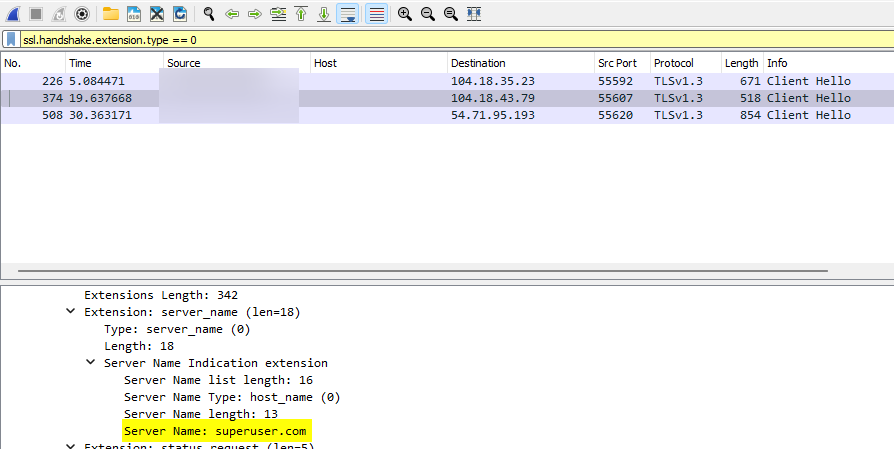
The TLS Client Hello is an initial handshake message sent from a user's device to a server, signaling the start of a secure connection. Within this message, a key component called the Server Name Indication (SNI) explicitly reveals which domain name the user intends to connect to. The SNI allows servers hosting multiple websites under a single IP address to correctly identify and respond to connection requests by delivering the appropriate digital certificate.
Importantly, the SNI is transmitted in plaintext, even when encrypted DNS is used. This means that internet service providers (ISPs), network administrators, or any network observer performing Deep Packet Inspection can still see the domain names being accessed by you.
As it turns out, mobile carriers are using this to apply their traffic shaping policies. Mobile carriers commonly maintain extensive lists of domains associated with popular content delivery networks (CDNs) and streaming services. Contrary to what you might assume, these domain patterns are typically straightforward and easily identifiable. Here's an example:
- YouTube: *.googlevideo.com
- Netflix: *.nflxvideo.net
- Hulu: *.hulustream.com
- Twitch: *.ttvnw.net
- Amazon Prime Video: *.aiv-cdn.net
- Reddit: v.redd.it
- Discord: media.discordapp.net
- Twitter/X: video.twimg.com
These domain naming conventions + general knowledge make it relatively easy for mobile carriers to determine that you are streaming video and apply the relative throttle.
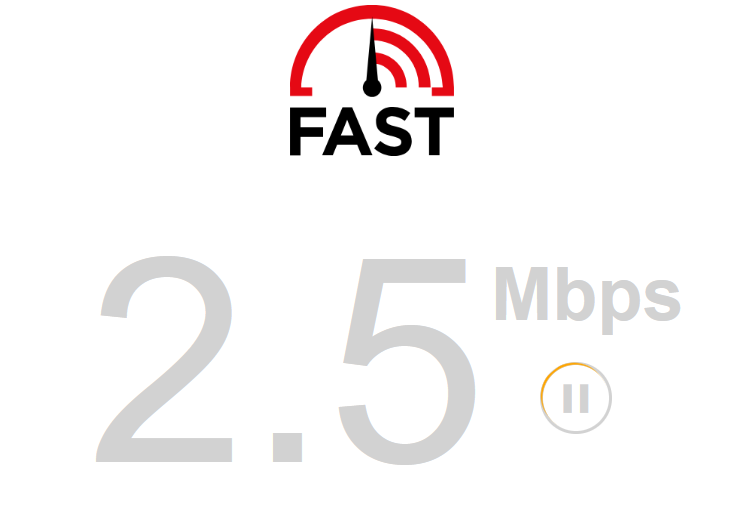
You might be asking can they also detect video streaming through various traffic patterns such as how a video buffers (even if it's encrypted), and the answer is yes, but this method is unreliable so I find that they do not use this. If they did, this traffic pattern would be identifiable through a VPN, unless you used a decoy traffic feature. For more info on this, check out this article by Windscribe.
Ok so... how can you get around it?
So we know how you're being throttled, now the question arises: How on earth do you get around this if you're on a cellular plan that throttles video? Well, you're in luck! Bypassing this is pretty easy. Just be warned, doing this could cause you to go over your data allotment.
The tried & true: A VPN
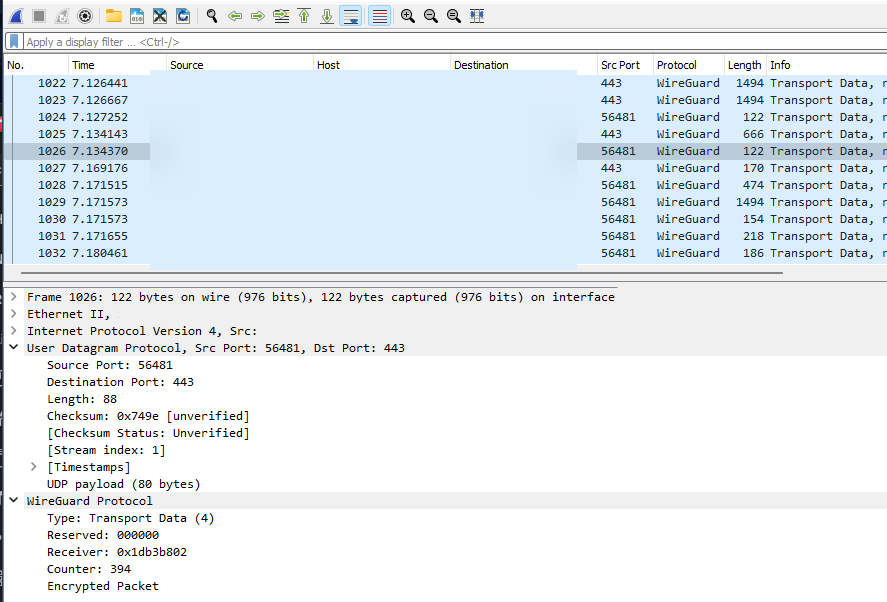
VPNs have long been the go-to method for bypassing traffic shaping and analysis by ISPs and network administrators. When you use a VPN, your traffic is encrypted and tunneled to an intermediary server, most commonly operated by a commercial VPN provider (Mullvad, IVPN, Windscribe, etc.) Because all your traffic flows through the server through said tunnel, your mobile carrier can no longer identify the traffic and will not apply the throttling rules.
However, while VPNs are the tried & true method for bypassing throttling, they come with a few drawbacks. They often introduce latency and reduce network speeds due to additional routing steps and overhead, especially on cellular connection. But don't fret, I discovered that it's possible to bypass video throttling without one (but with some caveats). Let's talk about that now.
The new kids on the block: ECH & HTTP/3 + QUIC
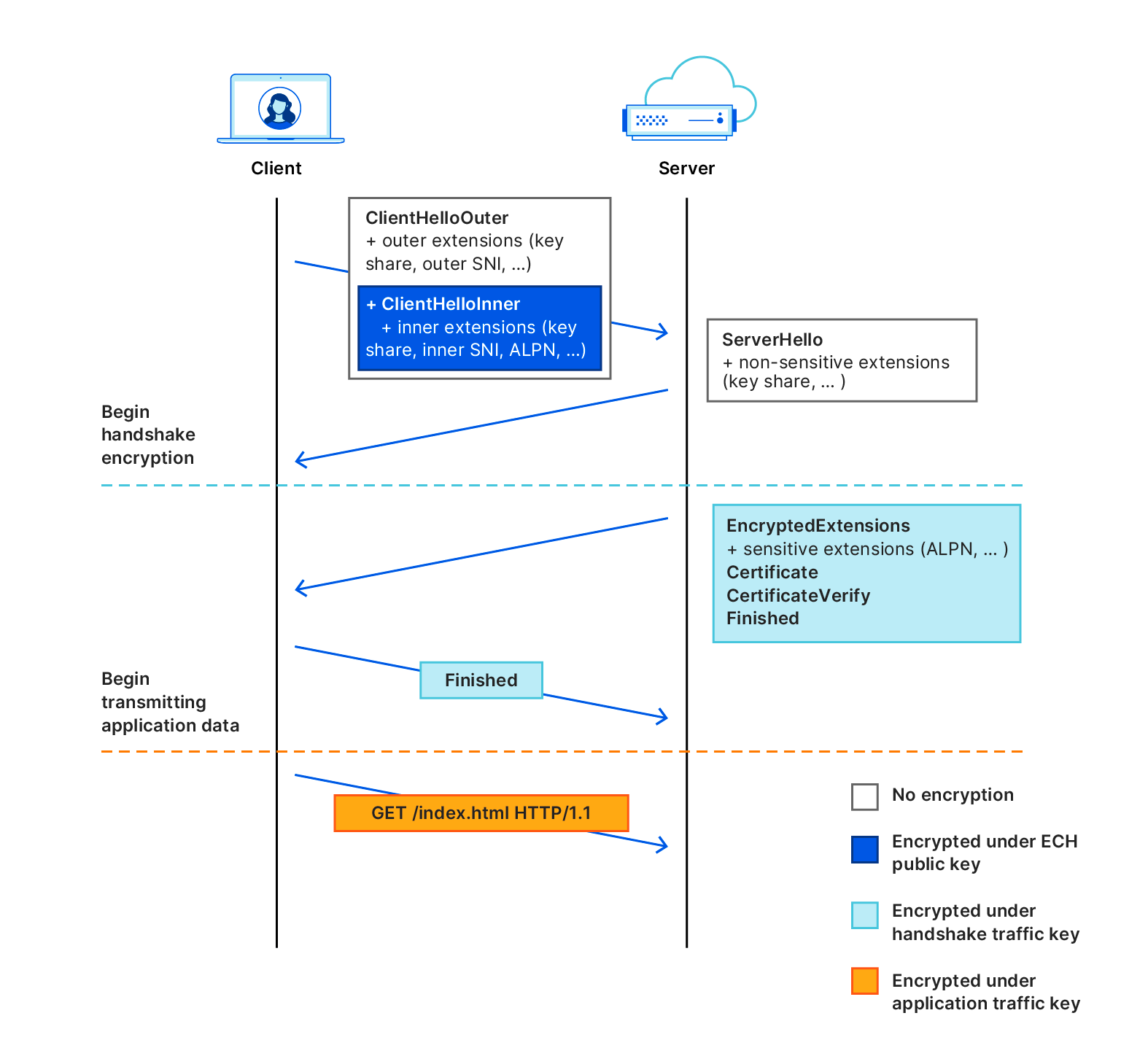
Encrypted Client Hello (ECH) and HTTP/3 paired with QUIC are relatively new technologies in the realm of the internet, but they've actually been very helpful in mitigating traffic analysis, such as in this case!
- Encrypted Client Hello (ECH) does exactly what it says on the tin. It takes that TLS Client Hello we talked about previously, and encrypts the TLS extensions, including SNI. That means your mobile carrier can no longer see the domains you connect to.
- HTTP/3 paired with QUIC is a completely different take on the HTTP protocol, and replaces the legacy TLS connections over TCP with a brand new encrypted stream operating over the UDP protocol. It can be paired with ECH, and is overall more resilient towards blocking and throttling. Since its introduction in June 2022, it has been adopted by all major browsers and is currently supported by 34% of the top 10 million websites (as of September 2024).
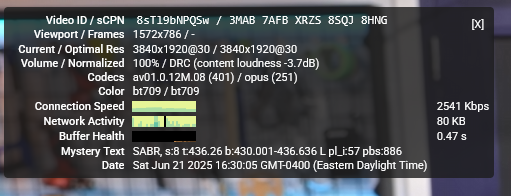
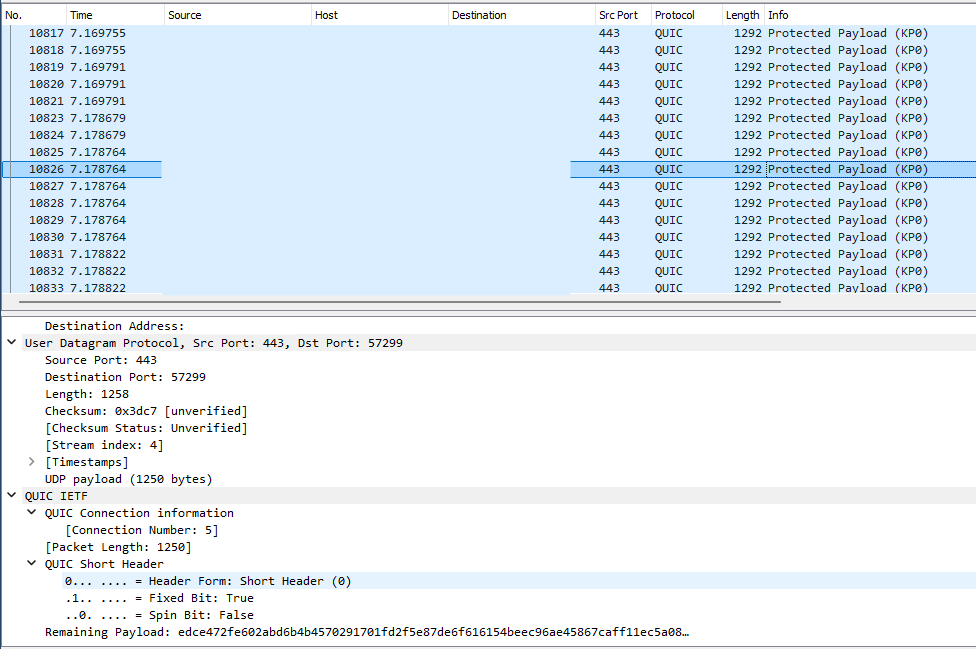
And what do you know, it turns out both ECH and HTTP/3+QUIC also eliminates the carrier's ability to determine you accessing certain video domains, as shown below:
HTTP/3 and ECH disabled:
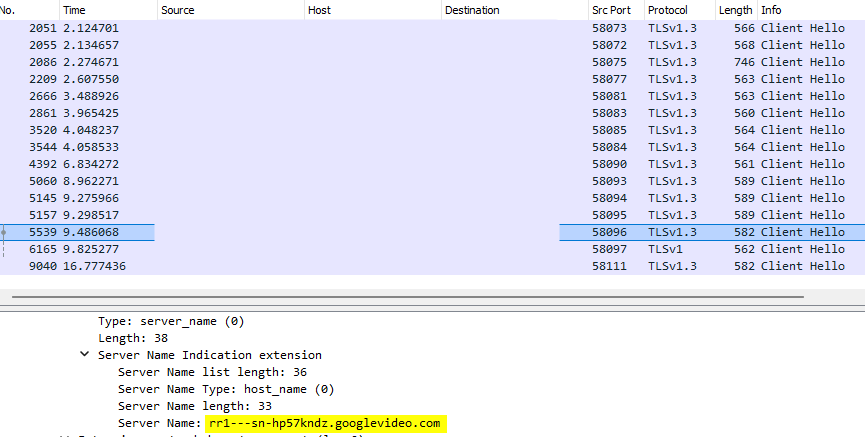
HTTP/3 and ECH enabled:
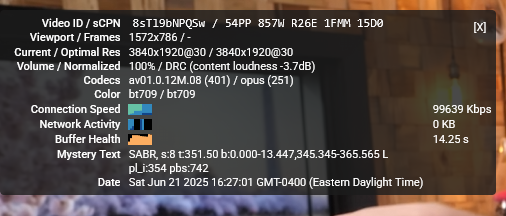
However, there are caveats with this and it's that support on mobile operating systems and browsers remain low, so this is not an effective means of evading the video throttle on there yet. This also requires the server to support this. However, if you are hotspotting on a PC or device and use a platform which use these technologies, it is absolutely effective in getting around these throttles, no VPN required!
Conclusion
So there you have it! Mobile carriers might seem sneaky when they're throttling your favorite streams by peeking into your traffic, but now you're armed with some neat tricks to beat the system. Whether you opt for the trusty old VPN route or dive into the cutting-edge world of Encrypted Client Hello (ECH) and HTTP/3 + QUIC, you’ve got options to restore your crisp, buffer-free videos. So next time your carrier tries to turn your YouTube binge into a pixelated nightmare, show them who's boss, fire up one of these solutions, and enjoy streaming the way it was meant to be. Who knows, maybe the adoption of HTTP/3 + QUIC will see the era of the video throttle be eliminated for good.